

Introduction to Google docs to blog
DO
Docswrite Team
Aug 08, 2022
1 min read
Introduction to Google Docs to Blog
Hello everyone, I am Sandeep Acharya. I am building docswrite.com for you to easily publish Google docs to your blog within a few seconds. Let me add a new meme

Thank you.
Step 1
Login to https://docswrite.com/login
Step 2
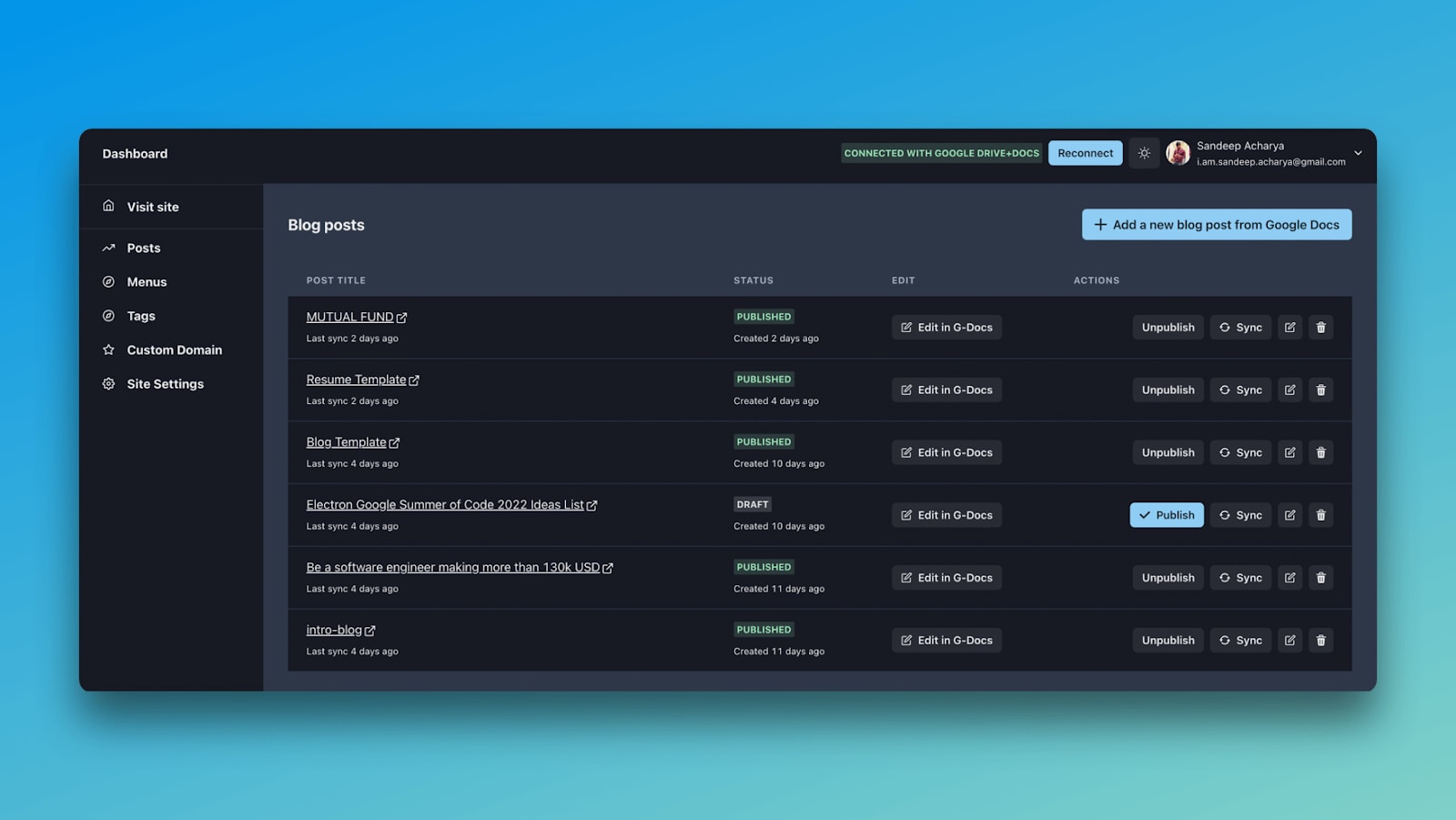
Once you are in the dashboard, connect your account with the Google and give read access to Google Docs for publishing.
Step 3
Create your first blog and you would receive a subdomain and also connect with a real domain. Free SSL is provided.
Step 4
Click on Add a new blog post from Google Docs button and choose the file and hit publish.
← Back to Blog