

How to Bulk Publish with Docswrite from Google Docs to WordPress
Docswrite Team
Dec 17, 2024
2 min read
Publishing multiple blog posts at once can be time-consuming, especially when manually uploading content to your WordPress site. Docswrite simplifies this process, allowing you to bulk publish directly from Google Docs to WordPress with just a few clicks. Follow these steps to streamline your content publishing workflow and save valuable time.
Step 1: Create Your Account on
-
Go to the Docswrite website and create an account.
-
No need to install any plugins; Docswrite operates from its platform.
Step 2: Connect Your WordPress Site
-
Log in to your Docswrite account.
-
Navigate to the Settings section and add your WordPress site.
-
Enter your WordPress URL and API key (found in your WordPress dashboard under Settings > Application Passwords).
-
Test the connection to ensure Docswrite is linked successfully to your WordPress site.
Step 3: Publish from Google Drive
-
On the Docswrite dashboard, click on Publish from Google Drive.
-
Grant Docswrite access to your Google Drive account.

Step 4: Select Documents for Bulk Publishing
-
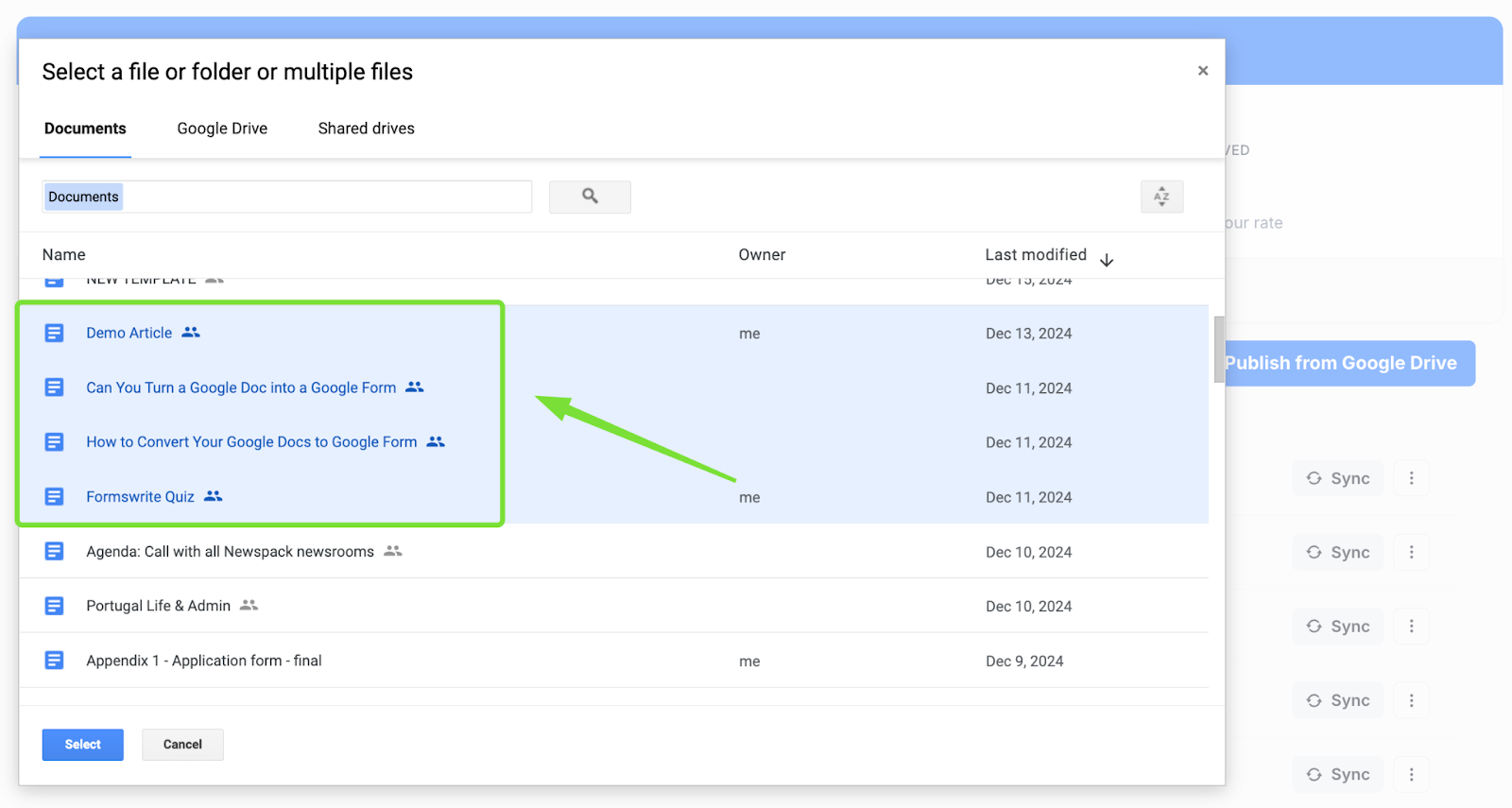
Browse your Google Drive and select all the documents you want to publish.
-
Use the checkboxes to mark multiple documents for bulk publishing and click Select
-
Configure publishing settings, such as: Categories
-
Tags
-
Status (Publish, Draft, or Pending Review)
Step 5: Publish Your Documents
-
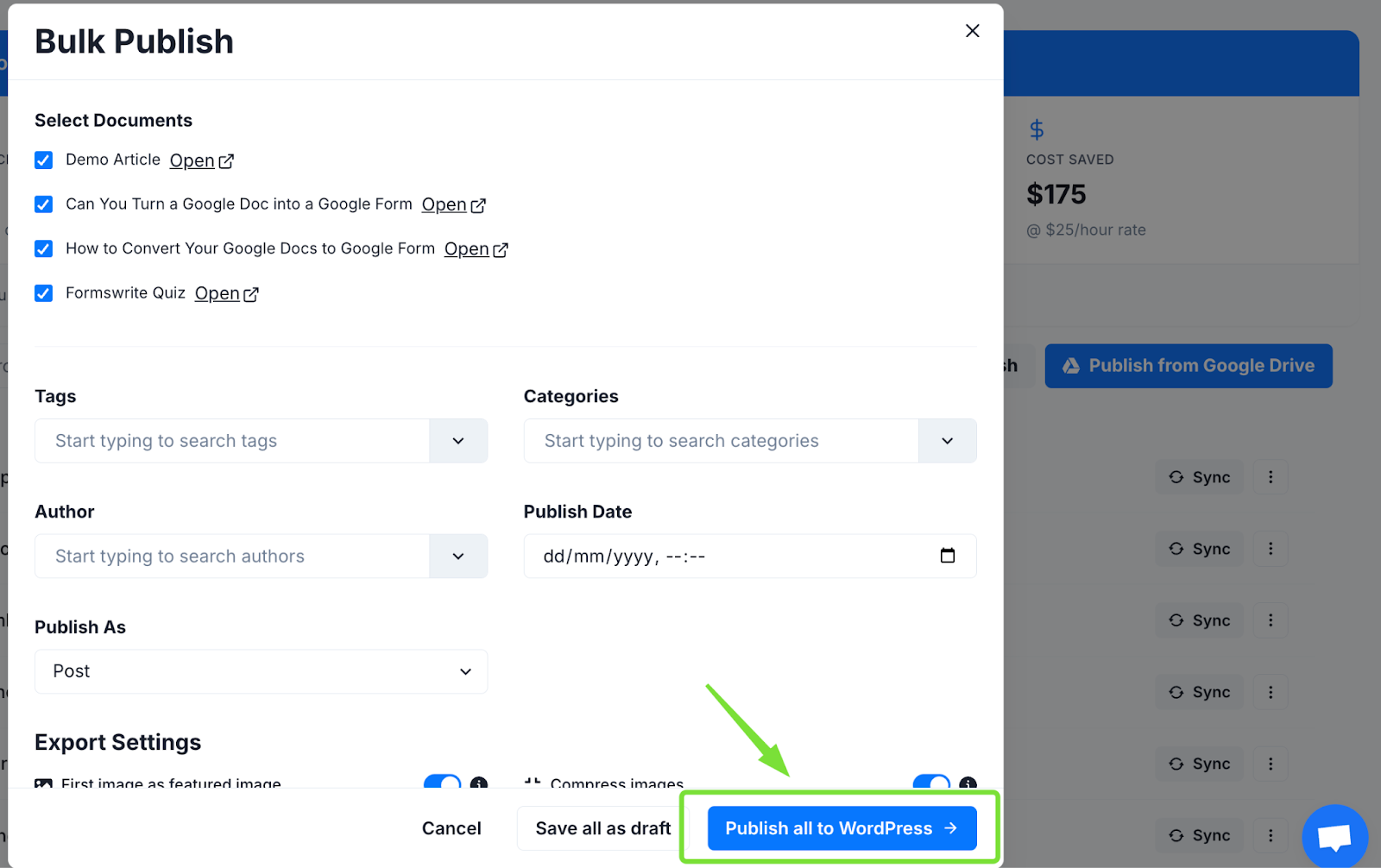
Once all documents are selected and settings are configured, click Publish.
-
Docswrite will automatically process and publish the content to your WordPress site.
FAQs
**1. Can I schedule posts using Docswrite?**Yes, Docswrite allows you to set specific publication dates and times for each post during the bulk publishing process.
**2. Does Docswrite support custom post types?**Yes, you can select custom post types while configuring the publishing settings in Docswrite.
**3. Are images from Google Docs included in the posts?**Yes, Docswrite automatically uploads images from your Google Docs to your WordPress media library and inserts them into your posts.
**4. Is Docswrite compatible with WordPress plugins like Yoast SEO?**Absolutely. Docswrite integrates seamlessly with WordPress plugins, ensuring your content is optimized for SEO.
**5. How many documents can I publish at once?**There’s no strict limit, but processing time may vary depending on the number of documents and your WordPress server capacity.
← Back to Blog